DukeDesk

An Office Hour Queueing Management System

Solved the inefficiencies and disorganization of queuing lines while providing analytics and tracking metrics.

Solved the inefficiencies and disorganization of queuing lines while providing analytics and tracking metrics.

Solved the inefficiencies and disorganization of queuing lines while providing analytics and tracking metrics.

Role

UX/UI Designer

Front-end Developer

Team

Potencia Solutions

Tools

Duration

3 months
(Feb 2023 - May 2023)

The Opportunity

The Opportunity

The Opportunity

James Madison University’s College of Business Capstone partners with the School of Media Arts & Design, bringing together 150 students across 12 teams to build responsive, real-world web applications.

The Challenge

The Challenge

The Challenge

Reduce Disruptions and Improved Office Hour Flow:

Structured queue management enabled smoother student transitions and more effective time allocation for faculty.

Actionable Analytics & Smart Notifications

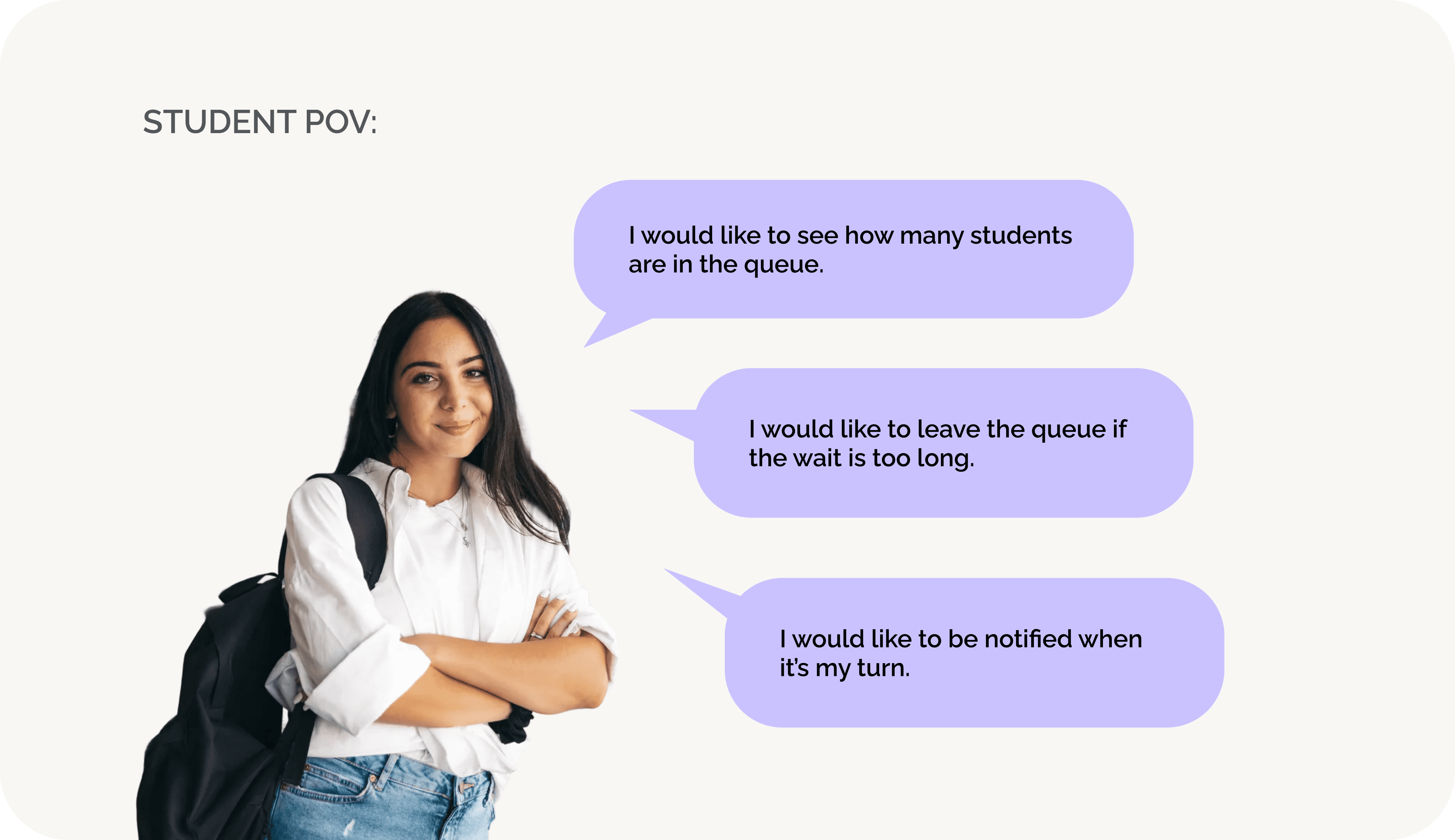
Students can be notified when it's their turn and have access to leave the line if it's too long.

Real-Time Queue Visibility:

Students and professors could view estimated wait times in real time, with students clearly seeing their position in line.

The Team

The Team

The Team

Team Potencia Solutions, with eight back-end and two front-end developers, advanced through four Capstone rounds to delivery a stakeholder-ready solution guided by a KPMG mentor and faculty.


KEY METRICS

30%

Wait Time

0

Critical Issues

Top 2

Out of 12 Teams

0

0

Critical Issues

Top 2

out of 12 teams

out of 12 Teams

Research

USER RESEARCH

USER RESEARCH

To understand the user’s behaviors and expectations, a 13-question, 5-minute online survey was created and sent to students and professors in all departments.

To understand the user’s behaviors and expectations, a 13-question, 5-minute online survey was created and sent to students and professors in all departments.

After 32 responses from a diverse group of individuals (age ranges, majors and genders), I can conduct that:

After 22 responses from a diverse group of individuals (age ranges, occupations and genders), I can conduct that:

74.9%

74.9%

Of students go to office hours occasionally

Of students go to office hours occasionally

62.5%

62.5%

Of students' standard wait time is 5 - 10 minutes to see the professor

Of students' standard wait time is 5 - 10 minutes to see the professor

40.6%

40.6%

Of them rated the office hour scheduling difficulty at 3 out of 5

Of them rated the office hour scheduling difficulty at 3 out of 5

USER PERSONAS

USER PERSONAS

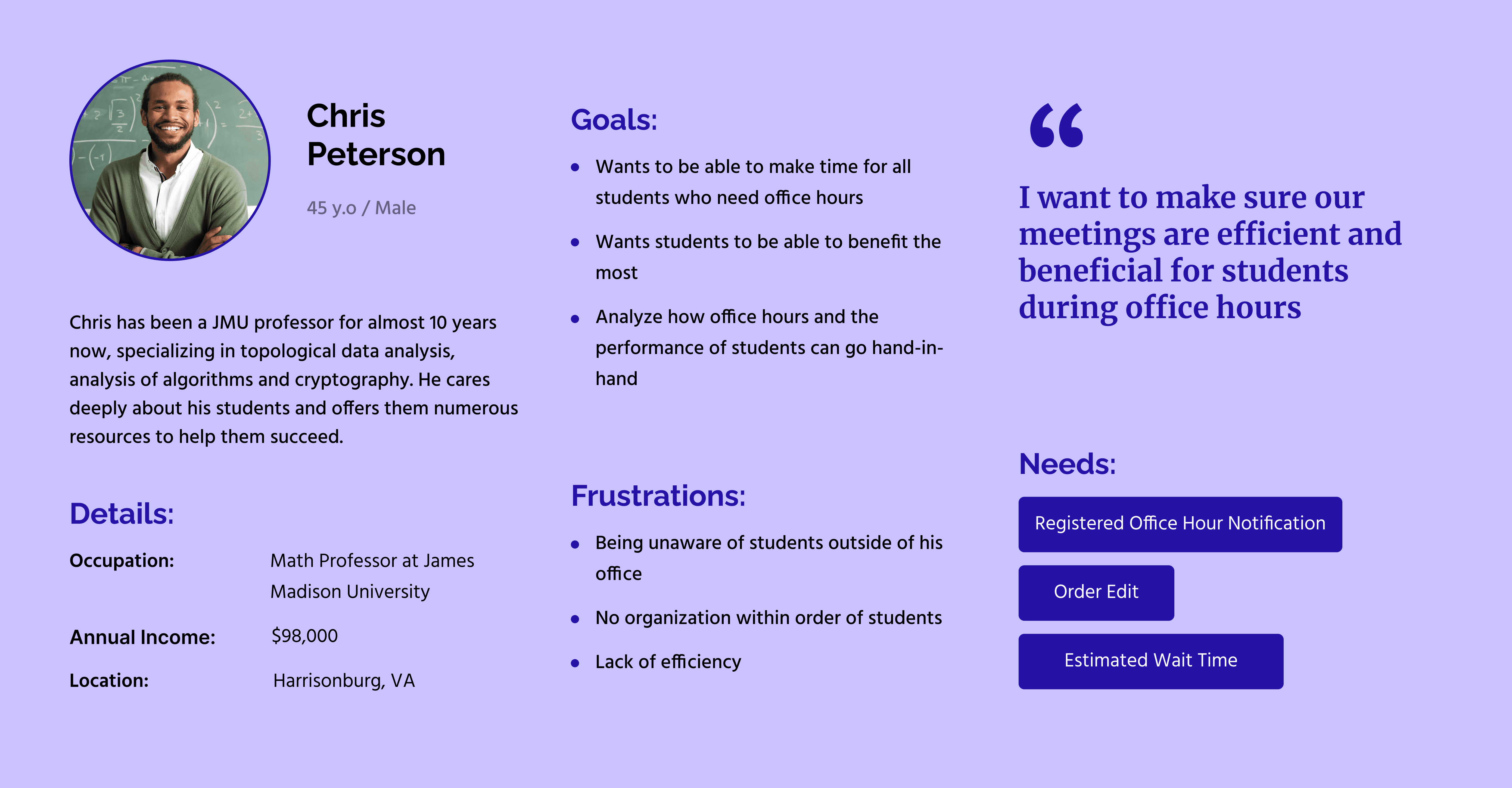
Professor Persona

Student Persona

Professor Persona

Student Persona

Professor Persona

Student Persona

USER RESEARCH

To understand the user’s online shopping behaviors and expectations, a 10-question, 5-minute online survey was created and sent to potential targeted customers.

After 22 responses from a diverse group of individuals (age ranges, occupations, and genders), I can conduct that:

74.9%

Of students go to office hours occasionally

62.5%

Of students' standard wait time is 5 - 10 minutes to see the professor

40.6%

Of them rated the office hour scheduling difficulty is 3 our of 5

insights

insights

Insights from user research guided the design direction:

Insights from user research guided the design direction:

Insights from user research guided the design direction:

1. Transparency Eliminates Uncertainty

1. Transparency Eliminates Uncertainty

Real-time queue visibility and wait-time estimates replaced hallway guessing with clear expectations for both students and professors.

Real-time queue visibility and wait-time estimates replaced hallway guessing with clear expectations for both students and professors.

2. Smarter Flow Improves Efficiency

2. Smarter Flow Improves Efficiency

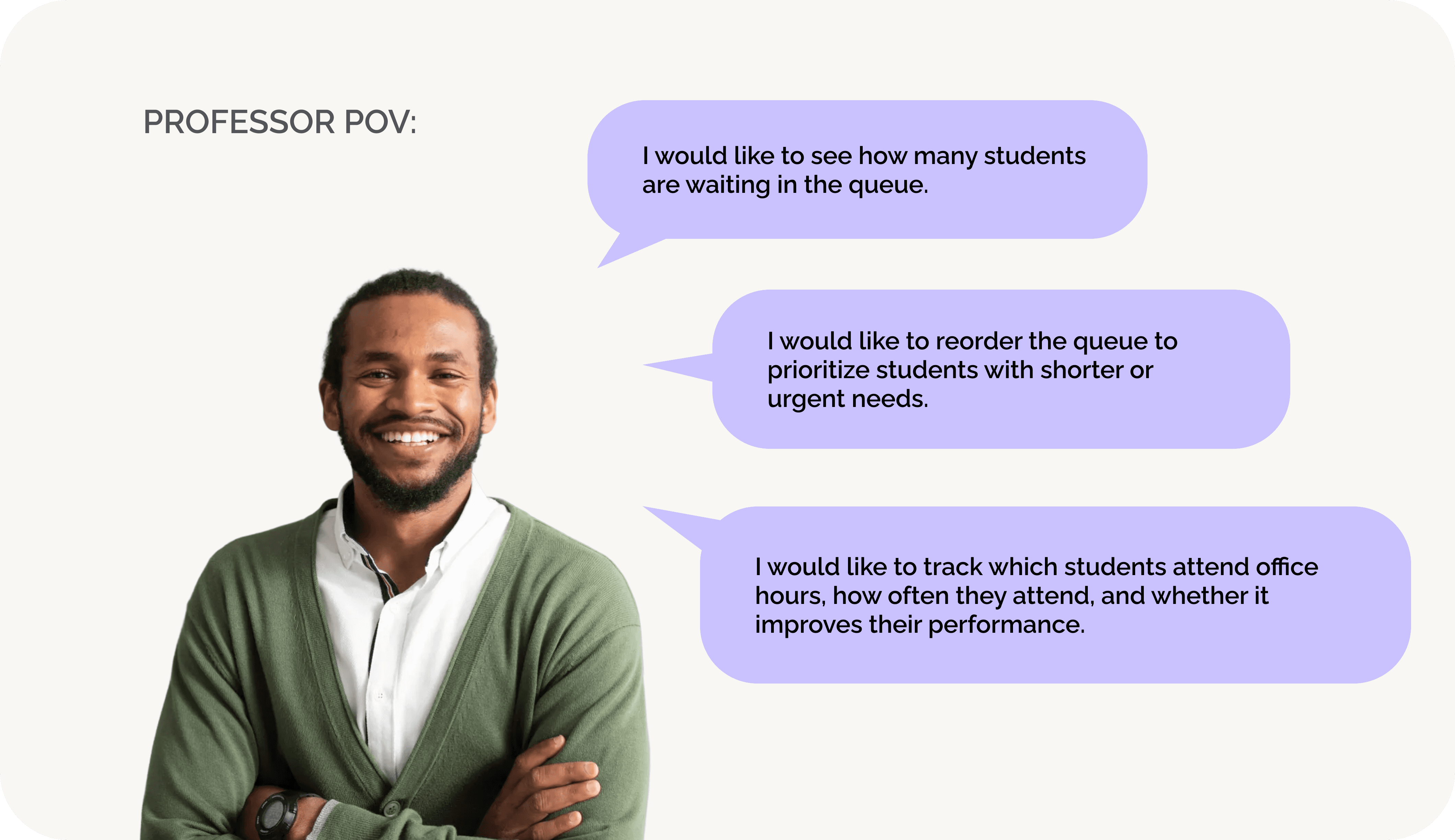
Giving professors control to reorder queues and manage session flow makes office hours more productive.
3. Mobility Increases Autonomy

3. Mobility Increases Autonomy

Smart notifications and a flexible “leave queue” option allowed students to use their time freely instead of waiting in hallways.

Smart notifications and a flexible “leave queue” option allowed students to use their time freely instead of waiting in hallways.

The Ideations

STYLE GUIDE

STYLE GUIDE

STYLE GUIDE

DukeDesk’s visual system is designed to communicate clarity and trust. Bold Lato is used for headings to establish a strong hierarchy and confident structure, while Inter ensures clean, highly readable body text.

DukeDesk’s visual system is designed to communicate clarity and trust. Bold Lato is used for headings to establish a strong hierarchy and confident structure, while Inter ensures clean, highly readable body text.

DukeDesk’s visual system is designed to communicate clarity and trust. Bold Lato is used for headings to establish a strong hierarchy and confident structure, while Inter ensures clean, highly readable body text.

The color palette embodies JMU’s academic spirit while remaining visually distinctive, led by Phthalo Blue and balanced with Pastel Blue Violet to introduce warmth and approachability. Black and white reinforce contrast and accessibility, while Bright Snow softens backgrounds to reduce visual fatigue and support prolonged use.

The color palette embodies JMU’s academic spirit while remaining visually distinctive, led by Phthalo Blue and balanced with Pastel Blue Violet to introduce warmth and approachability. Black and white reinforce contrast and accessibility, while Bright Snow softens backgrounds to reduce visual fatigue and support prolonged use.

The color palette embodies JMU’s academic spirit while remaining visually distinctive, led by Phthalo Blue and balanced with Pastel Blue Violet to introduce warmth and approachability. Black and white reinforce contrast and accessibility, while Bright Snow softens backgrounds to reduce visual fatigue and support prolonged use.

Lato

Lato

Lato

Bold - Headings

Bold - Headings

Bold - Headings

Inter

Inter

Inter

Regular - Paragraphs & Buttons

Regular - Paragraphs & Buttons

Regular - Paragraphs & Buttons

PHTHALO BLUE

PHTHALO BLUE

HEX: #2612A7

HEX: #2612A7

RBG: (38, 18, 167)

RBG: (38, 18, 167)

PASTEL BLUE VIOLET

PASTEL BLUE VIOLET

HEX: #CAC2FF

HEX: #CAC2FF

RBG: (202, 194, 255)

RBG: (202, 194, 255)

BLACK

BLACK

HEX: #000000

HEX: #000000

RBG: (0,0,0)

RBG: (0,0,0)

BRIGHT SNOW

BRIGHT SNOW

HEX: #F8F9FA

HEX: #F8F9FA

RBG: (248, 249, 250)

RBG: (248, 249, 250)

Final Design

Final Design

Final Design

Desktop version

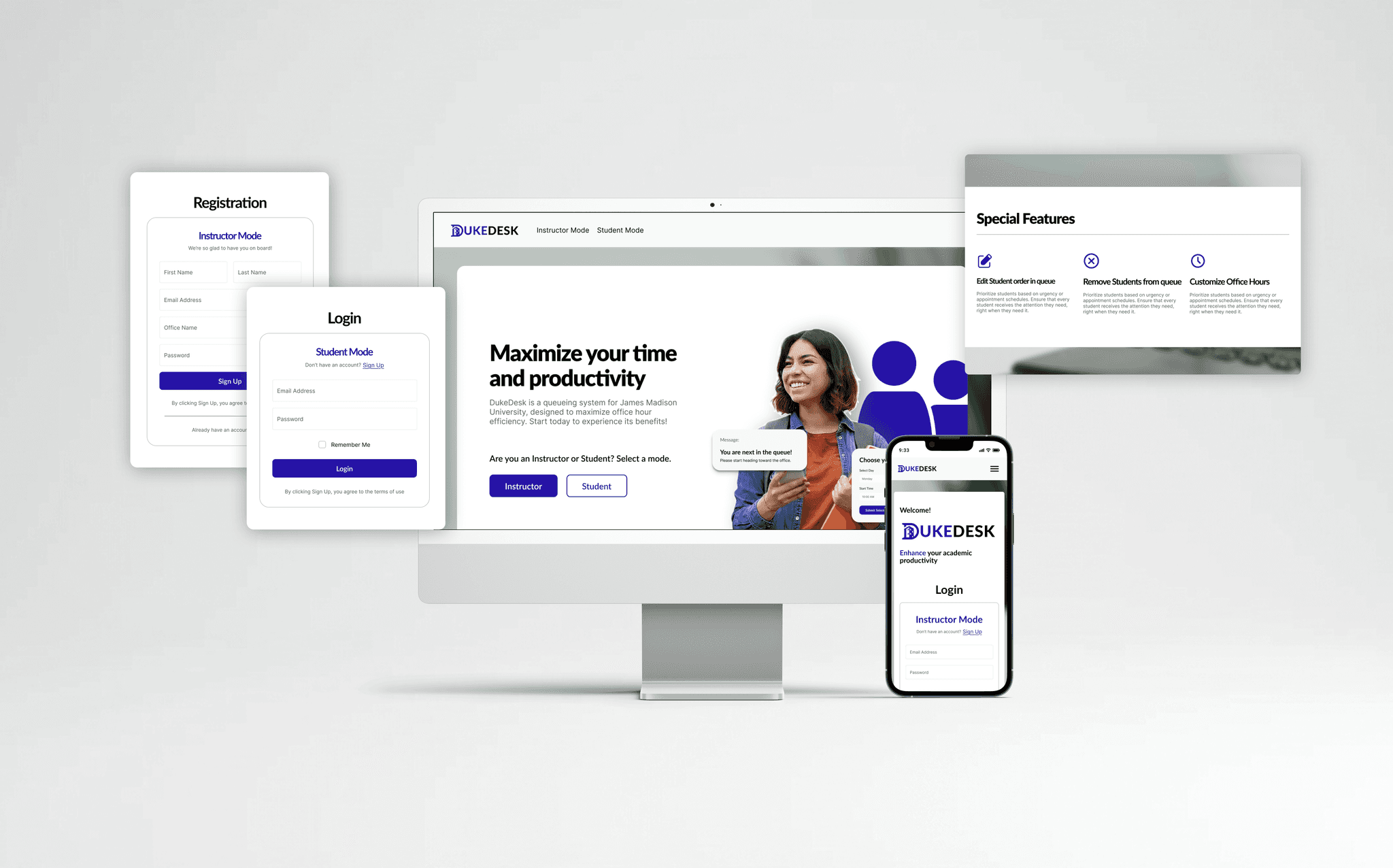
Landing, Login & Signup Page

Landing, Login & Signup Page

Landing, Login & Signup Page

Student Mode Features:

Register for new Office Hour & View Messages

Student Mode Features:

Register for new Office Hour
& View Messages

Student Mode Features:

Register for new Office Hour & View Messages

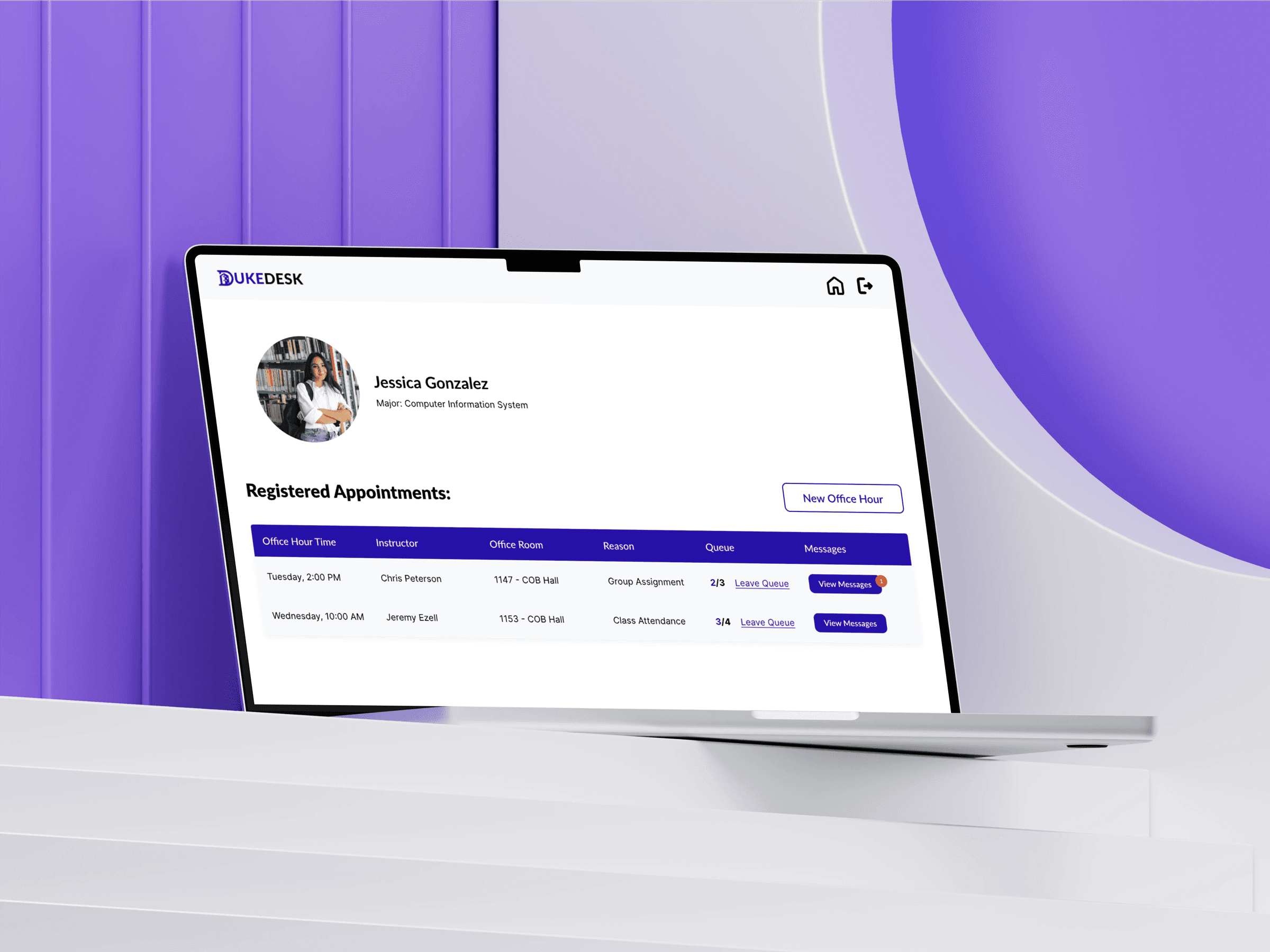
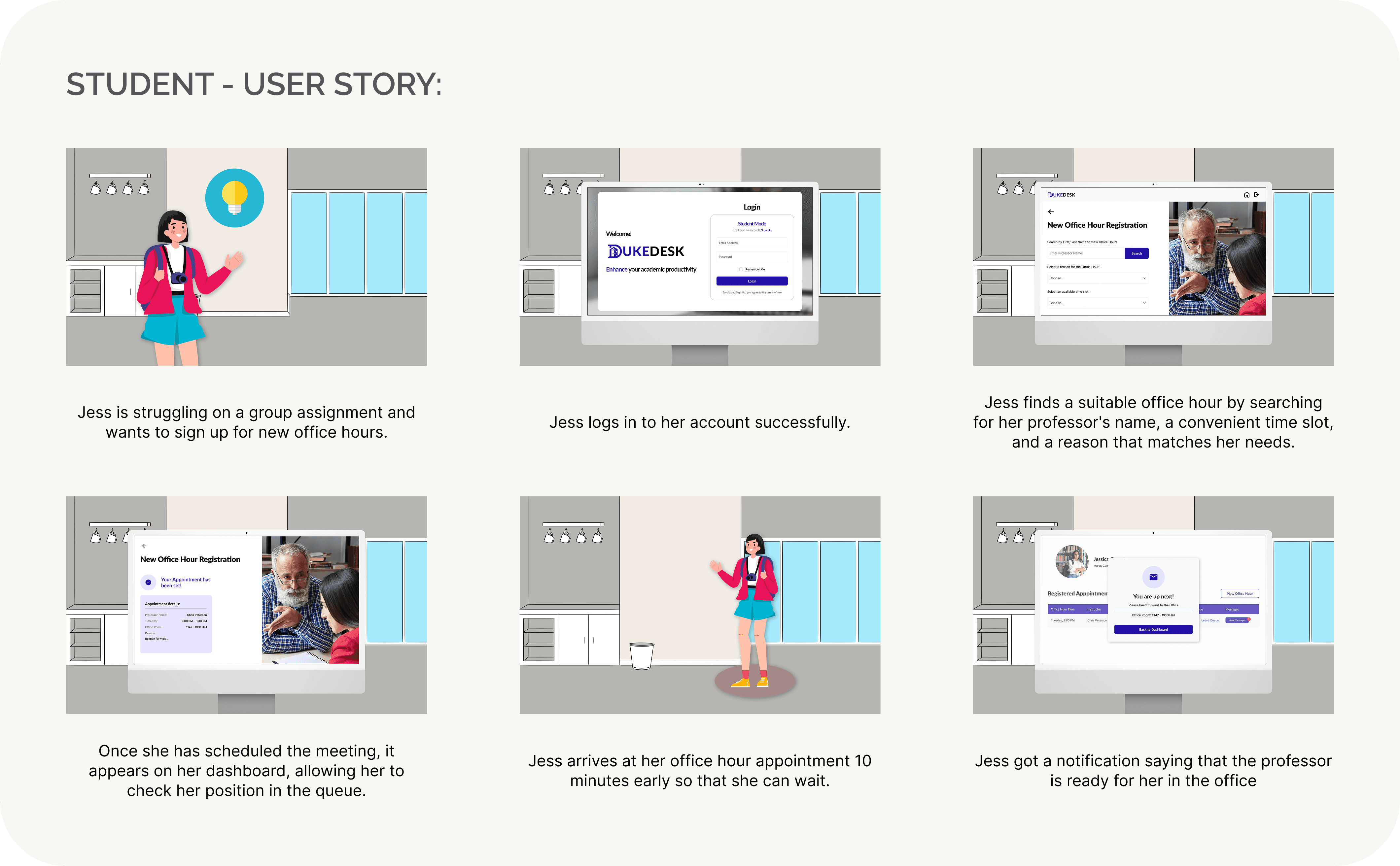
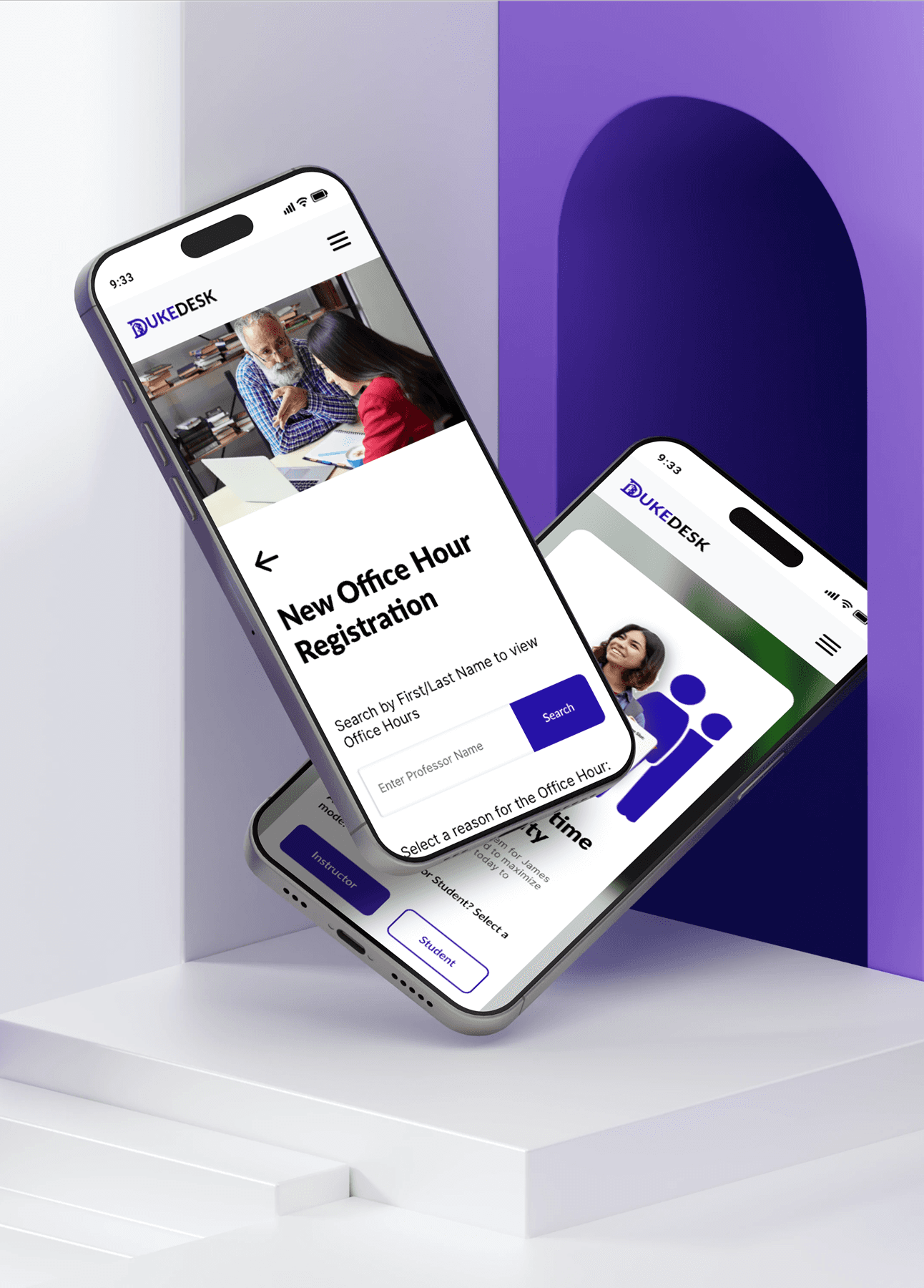
Students can quickly book office hours by searching for their professor, choosing an available time slot, and stating their reason for attending. Confirmed sessions are automatically added to their dashboard for clear visibility.

Students can quickly book office hours by searching for their professor, choosing an available time slot, and stating their reason for attending. Confirmed sessions are automatically added to their dashboard for clear visibility.

Students can quickly book office hours by searching for their professor, choosing an available time slot, and stating their reason for attending. Confirmed sessions are automatically added to their dashboard for clear visibility.

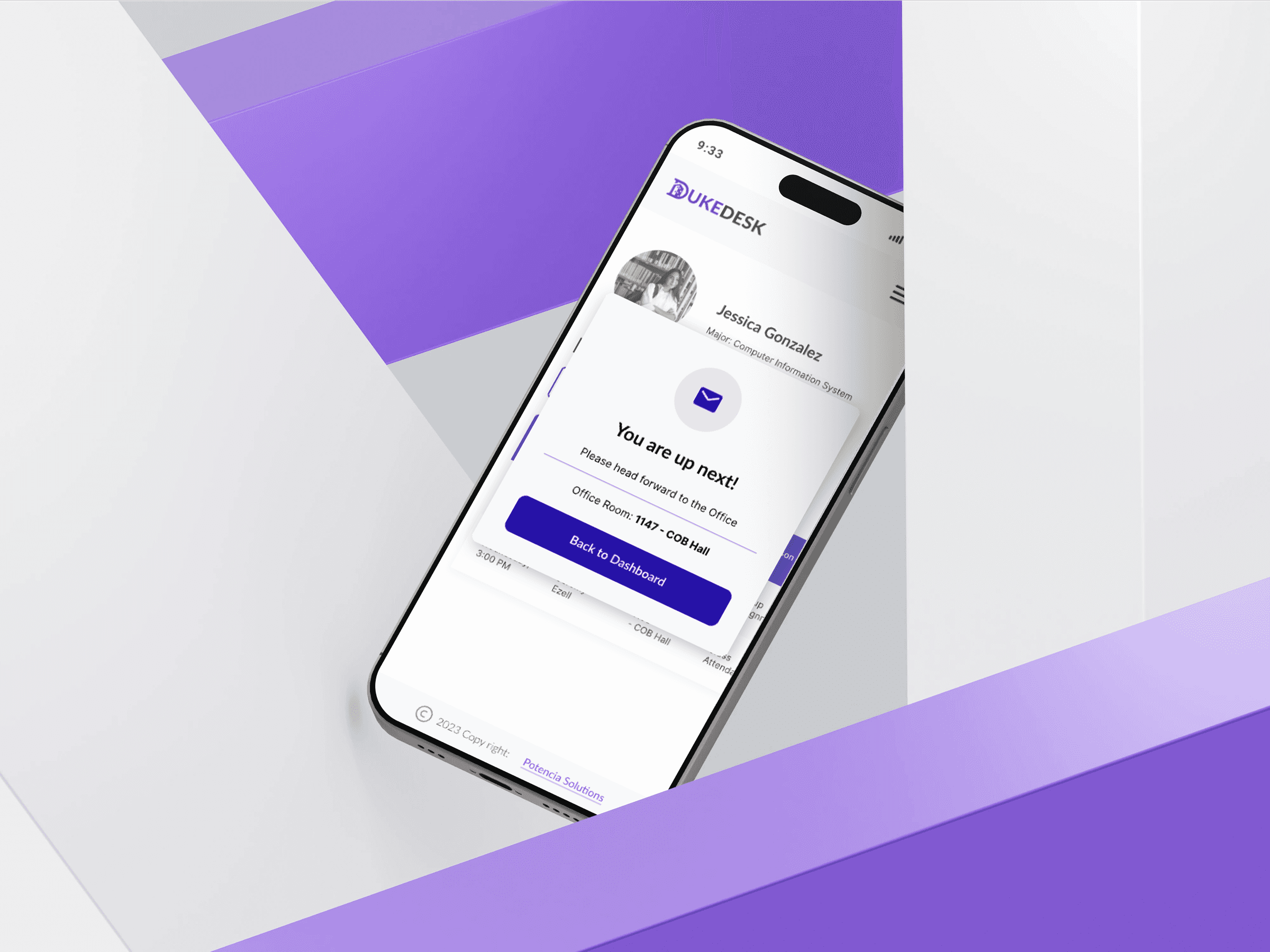
Real-time notifications alert students when their turn is near, minimizing wait-time anxiety and improving time management.

Real-time notifications alert students when their turn is near, minimizing wait-time anxiety and improving time management.

Real-time notifications alert students when their turn is near, minimizing wait-time anxiety and improving time management.

Leave Queue

Leave Queue

Leave Queue

Students can leave the queue at any time if the wait becomes too long or if scheduling conflicts arise.

Students can leave the queue at any time if the wait becomes too long or if scheduling conflicts arise.

Instructor Mode Features:

Manage Live Sessions & Edit Queues

Instructor Mode Features:

Manage Live Sessions & Edit Queues

Instructor Mode Features:

Manage Live Sessions & Edit Queues

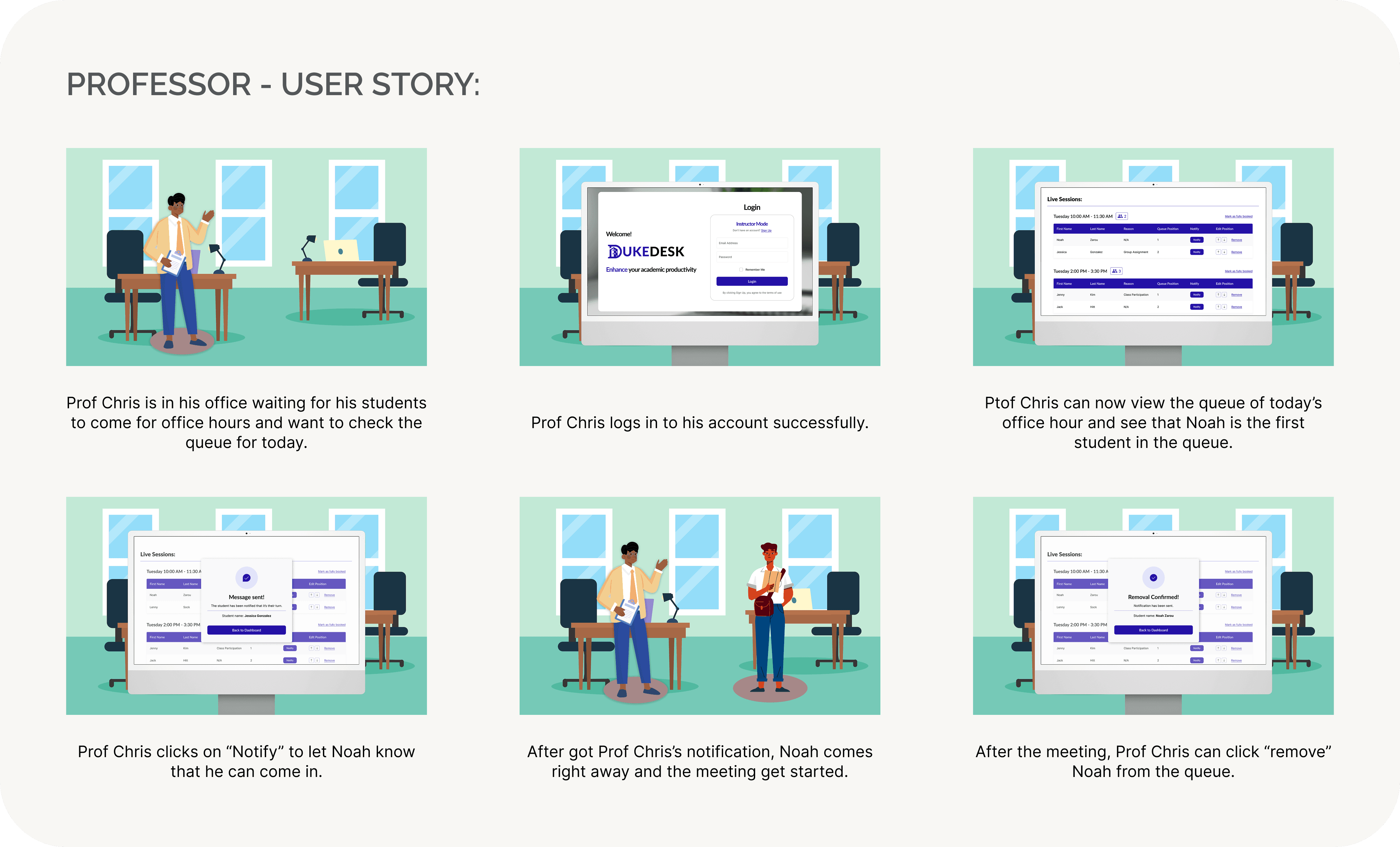
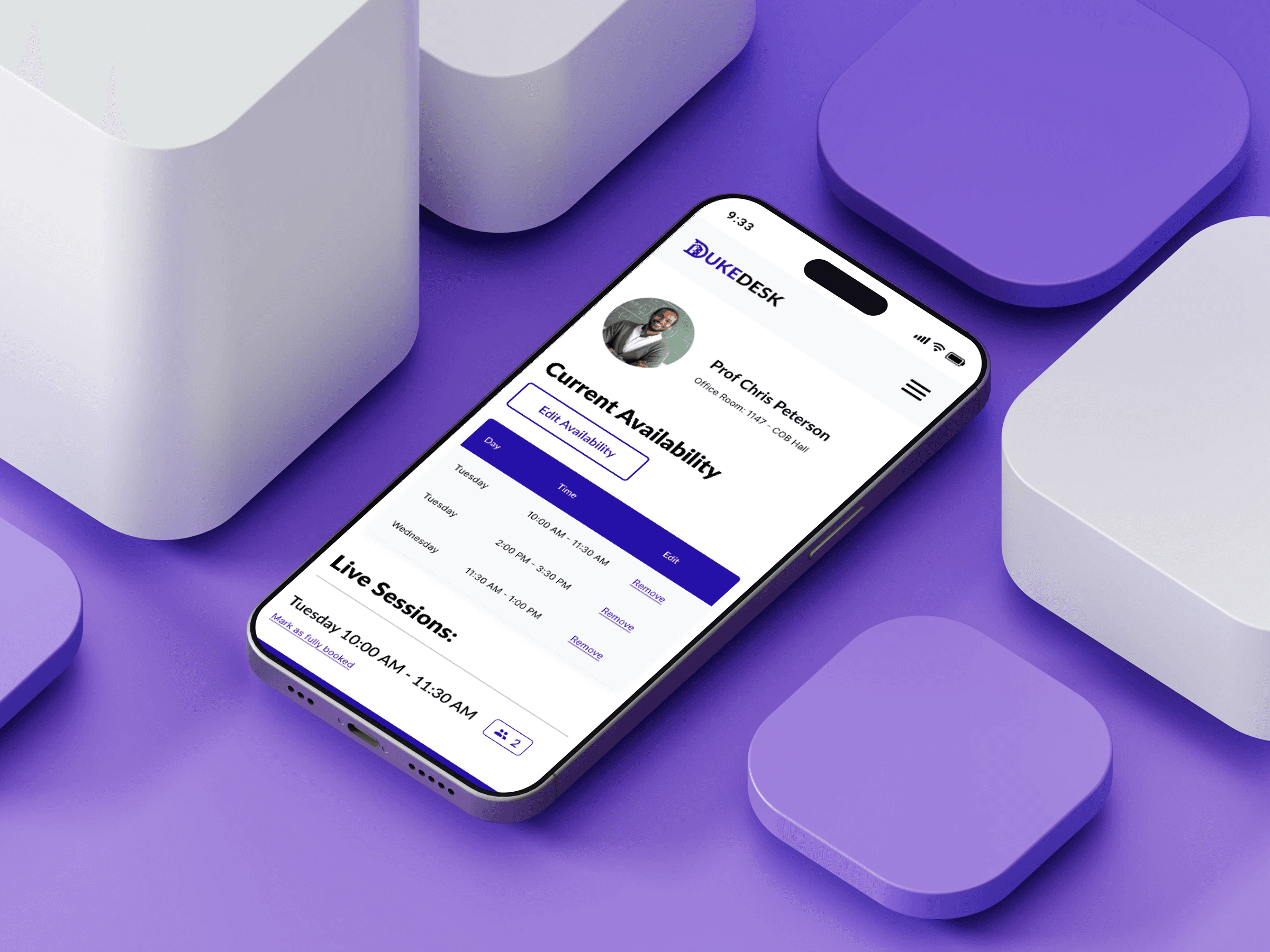
To maintain smooth office hour flow, professors can reorder the queue, temporarily stop new registrations when capacity is reached, and notify students when their turn begins.

To maintain smooth office hour flow, professors can reorder the queue, temporarily stop new registrations when capacity is reached, and notify students when their turn begins.

Edit Office Hour's Availability

Edit Office Hour's Availability

Edit Office Hour's Availability

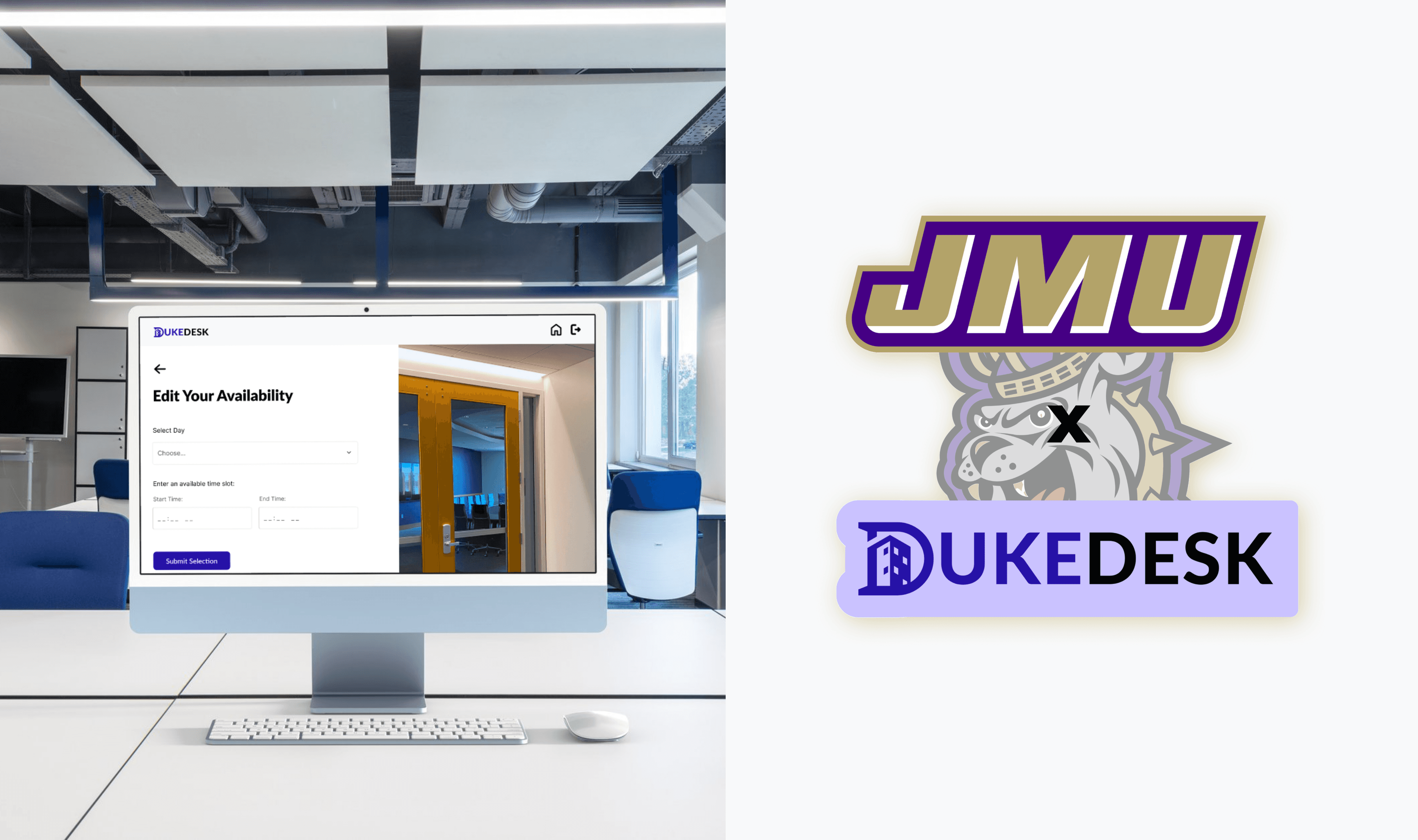
To accommodate shifting schedules, professors can edit, reschedule, or remove office hours as their availability changes.

To accommodate shifting schedules, professors can edit, reschedule, or remove office hours as their availability changes.

Mobile version

tracyho2901@gmail.com

Linkedln

Get in touch

tracyho2901@gmail.com

Linkedln

Get in touch

tracyho2901@gmail.com

Linkedln

Get in touch